July 2027 Calendar: Printable Layouts and Holidays
Print a free July 2027 calendar with yearly or monthly layouts, Sunday or Monday start, US holiday dates and print settings that fit the page.
Two dates share one holiday on the July 2027 calendar, and that split is where printed pages go wrong. Independence Day falls on Sunday, July 4, 2027, while the observed federal holiday for covered employees is Monday, July 5, per the 2027 federal holiday schedule from the U.S. Office of Personnel Management. Mark only one of them and a payroll run, a campsite booking, or a custody handoff lands on the wrong day.
The grid hides a second trap. July 2027 fills five rows, and a Monday-first layout places the same dates in different columns than a Sunday-first one, so a page printed for the wrong week start shifts every appointment. Most printouts carry one or both errors: a lone July 4 with no observed day marked, or a layout that does not match how the reader counts weeks. Check for both holiday dates and the full five rows before you commit a page to paper.
July 2027 Calendar Grid at a Glance
The printable month is 31 days that begin on Thursday and end on Saturday, which is exactly why it sits in five rows instead of six. Check your own file against this grid before you do anything else with it.
| Week | Sun | Mon | Tue | Wed | Thu | Fri | Sat |
|---|---|---|---|---|---|---|---|
| Week 1 | - | - | - | - | 1 | 2 | 3 |
| Week 2 | 4 | 5 | 6 | 7 | 8 | 9 | 10 |
| Week 3 | 11 | 12 | 13 | 14 | 15 | 16 | 17 |
| Week 4 | 18 | 19 | 20 | 21 | 22 | 23 | 24 |
| Week 5 | 25 | 26 | 27 | 28 | 29 | 30 | 31 |
The opening row is the one people misread. Only three dates belong there, Thursday July 1 through Saturday July 3, and the four cells to the left stay empty because June finished on a Wednesday. The four rows that follow are complete Sunday-to-Saturday weeks: July 4 to 10, 11 to 17, 18 to 24, and 25 to 31. Nothing spills onto a sixth row.
What the weekday counts tell you
Count down each column and a pattern appears that most templates never mention. July 2027 holds five Thursdays, five Fridays and five Saturdays, plus four each of Sunday, Monday, Tuesday and Wednesday. That comes to 23 weekdays and 8 weekend days, matching the July 2027 month view published by timeanddate.
The counts matter if anything in your month repeats weekly. Five Fridays mean five weekly reviews, five invoice runs, or five chances to hit a Friday deadline. Four Sundays mean four quiet mornings. The fifth occurrence is the one that gets missed, because a template that shows four rows of a habit makes you assume the habit fits four times.
July is also the seventh month of a common year of 365 days, so nothing in 2027 shifts dates the way a leap year does. Some templates print the principal lunar phases on July 3, 10, 18 and 26; those dates can move with location and calendar convention, so don't schedule anything precise around them.
Fast check: put a finger on July 4 in the Sunday column of the second row. If it isn't there, the file is wrong, not your eyes.
Before you plan around July 4, keep the statutory date and the observed date separate. The grid should show both, not one in place of the other.
Yearly or Monthly July Layouts Compared
Choose the layout by the job it has to do: how much handwriting each day cell must hold, and whether you need July alone or the whole year in view.
| Format | Pages | Writing room per day | Best for |
|---|---|---|---|
| Yearly (all 12 months on one sheet) | 1 sheet | Small | Overview of 2027 and spotting clashes across months |
| Single July monthly page | 1 page | Large | Handwritten appointments, term-date reminders and household schedules |
| Full monthly set | 12 pages | Large | Keeping the whole year in a binder |
The yearly sheet gives the fastest read on 2027. Twelve small grids side by side expose collisions a single month hides: a work trip in March landing near a school closure, a wedding in September sitting beside a deadline. It will not hold much handwriting, so treat it as an overview document rather than a planner.
A single July page is the workhorse. Large cells take appointments, camp weeks, bill dates and the plumber's visit without cramping. If school dates drive the month, use those same blank cells for the first day back, early dismissals and closures. This is the copy that goes on the fridge, in a notebook, or on the wall by the desk.
The twelve-page set costs more paper and more time at the printer, and it is the version that keeps a year of handwritten notes in one place. If you have ever hunted for the page where you wrote down a dentist appointment in April, this format ends the hunt.
One July detail raises the stakes: the month starts on Thursday and ends on Saturday, so it fills five rows. On a tight template those five rows leave less margin around the grid, and a clipped print can turn readable dates into guesses. Download the PDF in US Letter or A4, then set the printer to the same size before printing.
Use one rule: yearly for an overview, a single July page for appointments, the full set for a binder. Before committing, run the draft test. Write three real appointments into a printed July page. If the third one has nowhere to go, you have chosen the wrong format, and the fix costs one download rather than a month of cramped handwriting.
Week Start and ISO Week Numbers for July 2027
Two people can print July 2027 and end up with pages that look different without either being wrong. The 31 dates never change. The columns move, and the row count moves with them.
A Sunday-first layout puts July 1, 2 and 3 under Thursday, Friday and Saturday at the top, then runs four complete weeks below it. Five rows, four empty cells.
A Monday-first layout starts the top row with June 28, 29 and 30 as leading days, then July 1 to 4 across Thursday to Sunday. Below that you get four full rows: July 5 to 11, 12 to 18, 19 to 25, and 26 to August 1. Five rows again, but one belongs partly to June and the last one ends in August. If you want to see that shape before choosing, a blank calendar starting on Monday shows where the leading days sit.
ISO week numbers for July 2027
ISO 8601 settles the arithmetic: weeks begin on Monday, weekdays run Monday=1 through Sunday=7, and week 1 is the week containing the first Thursday of the Gregorian year. For July 2027, the Mondays land like this.
- W27: July 5 to 11
- W28: July 12 to 18
- W29: July 19 to 25
- W30: July 26 to August 1, the row that crosses into August
Get these wrong and the error travels. A scheduling system that recalculates weeks from the month boundary will call July 5 the first week of July, and every export after that disagrees with the payroll system, the school timetable, and the person holding the paper.
Two habits prevent it. Label exported rows W27 to W30 instead of numbering from July 1, and keep the week start consistent for the entire year. If you print Sunday-first and still need week numbers, add a narrow side column carrying the same W labels. Don't renumber to make the column look tidy.
US Federal Holiday and Observed Day in July 2027
July 2027 contains exactly one US federal holiday, and it lands on a Sunday. That single fact drives everything else on the page.
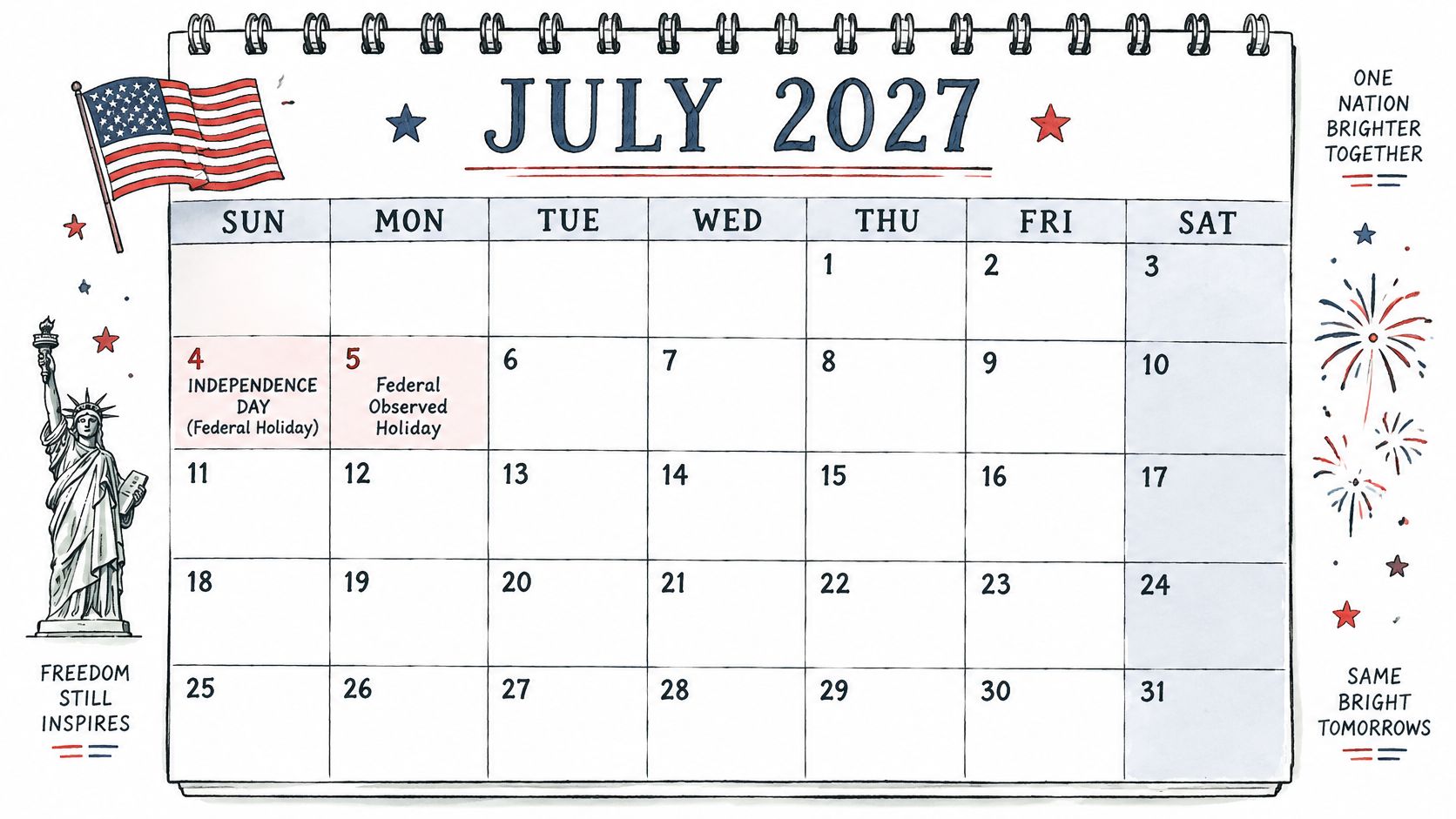
The U.S. Office of Personnel Management's federal holiday schedule lists Monday, July 5, 2027 as the observed Independence Day holiday, because a holiday falling on a Sunday is generally observed the following Monday for covered federal employees. The statutory date stays Sunday, July 4. The resulting weekend runs Saturday, July 3 through Monday, July 5.
On a printed grid this produces two marked cells in two different rows. Sunday, July 4 sits at the end of the first week row carrying the Independence Day label, and Monday, July 5 opens the second row carrying the observed-holiday mark. That split is easy to misread at a glance, which is why the markings matter. With US federal holiday markings turned on, the calendar marks both the statutory holiday and its observed date. On the blank version with no holiday markings, write both in yourself so neither date disappears.
Most printed pages get this half right. They either stamp Independence Day on July 4 with no note about the observance, or they move the label to July 5 and leave July 4 bare. Both mislead someone. Mark both.
Practical rule: July 4 is the anniversary. July 5 is the day the office is closed. Never delete one to show the other.
| Date | Day | Status | Note |
|---|---|---|---|
| July 1 | Thursday | Canada Day | Canadian observance, not a US federal holiday |
| July 3 | Saturday | Start of holiday weekend | Not a federal holiday |
| July 4 | Sunday | Independence Day (statutory) | Keep this date marked in the grid |
| July 5 | Monday | Observed federal holiday | Day off for many federal employees |
For readers who track both countries, Canada Day falls on Thursday, July 1, three full days before the US weekend begins.
One caution before you rely on any of it. Calendars are made for general planning and can contain errors, so confirm a date against the official schedule before you use it for pay, contracts or travel. Private employers, banks, state offices and exchanges set their own closures, and none of them are bound by the federal list.
School and Family Planning Around July 2027
July is a school holiday in some countries and a school month in others, which makes a bare date grid close to useless for family planning. The gaps are wide enough to change when you book flights. A cross-country comparison of 2027 school calendars shows July as a summer-break month in the United States and Canada, while the United Kingdom may still be in term and Australia and South Africa follow opposite-season calendars.
| Where | July 2027 school context | What to write on the page |
|---|---|---|
| United States | Summer-break month | District term dates and camp weeks |
| Canada | Summer-break month | Provincial term dates |
| United Kingdom | May still be in term, with Scotland's summer break starting earlier | Last day of term |
| South Africa | Winter break listed as June 26 to July 19 | Return-to-school day |
| Australia | Holidays vary by state and can extend through July | Your state's dates |
A family spread across two countries is really asking narrower questions than a month grid answers. Which weeks overlap? Is July a school holiday where the grandparents live? When does childcare need to start? South Africa's break running to July 19 is a different planning problem from an Australian state holiday stretching into the same weeks.
Write those answers into the blank space yourself. Term start and end dates, camp weeks, childcare coverage and shared custody days all belong in the cells, and none of them can be inferred from the date. If a custody arrangement turns on a specific week rather than a month, mark the week, not the month.
Treat "school context varies by country and state" as the printed rule and the local calendar as the authority. Check the district or provincial calendar before you book travel or childcare that depends on it.
How to Print July 2027 Calendar to Fit the Page
Printing goes wrong in a predictable order, so work through the settings in the same order the calendar tool asks for them.
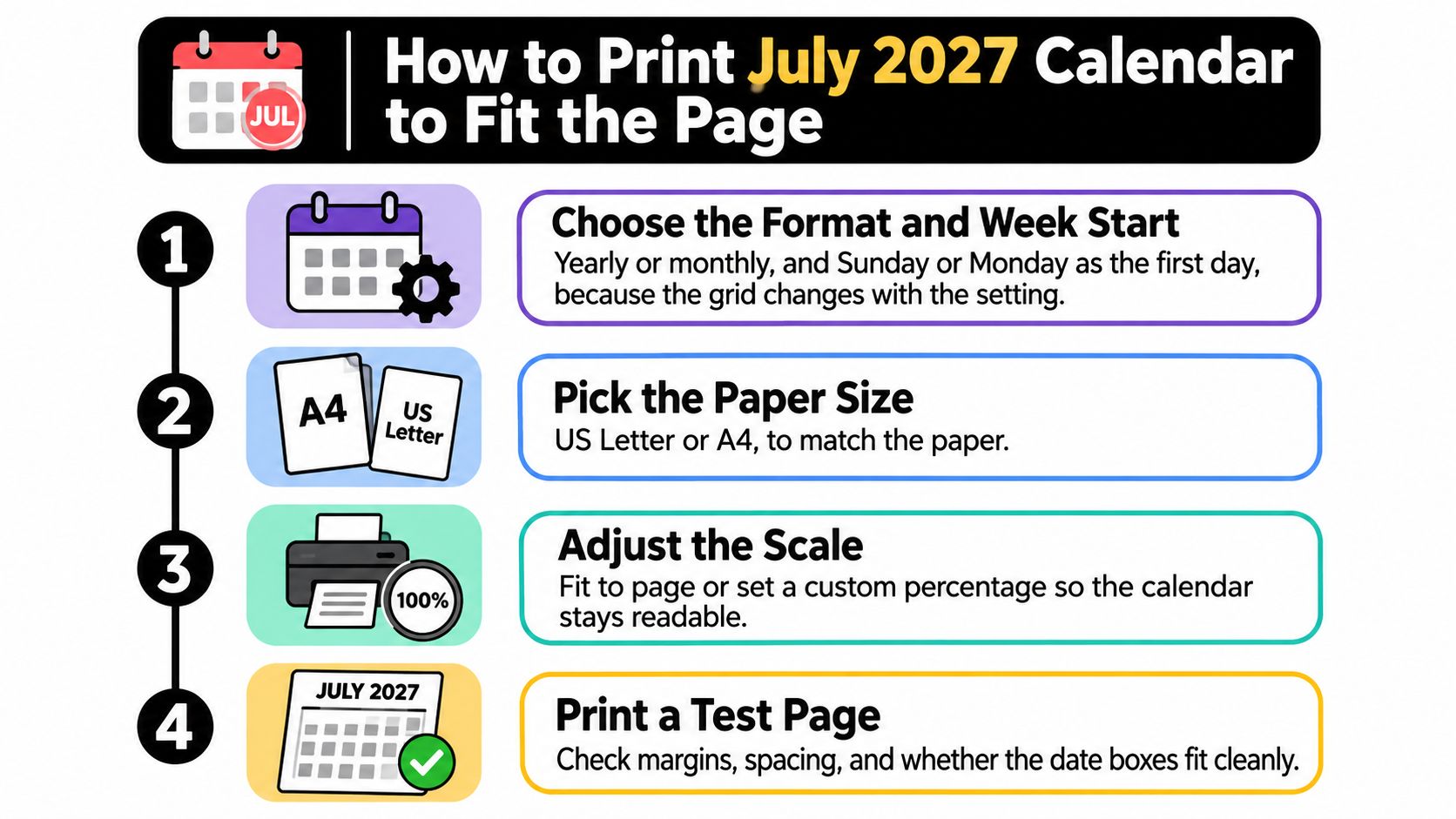
- Choose the format and the week start. Yearly or monthly, Sunday or Monday. The grid physically changes when the week start changes, so decide before you open the file.
- Match the paper size to the tray. US Letter or A4, picked on the calendar page and matched in the printer. A mismatch is the single most common cause of a page that prints at the wrong size.
- Decide on holiday markings. Turn them on for July 4 and July 5, or choose the blank version if you want clean cells. Markings you didn't choose eat the space you write in.
- Download the PDF or print from the browser. The PDF is designed for horizontal printing, and printing directly from the page keeps the same layout.
- Read the preview before you commit paper. The full five-row grid, all 31 dates, and both holiday dates should be visible with nothing greyed at the edges.
- Set the printer's paper size to match your selection. Skipping this step is how Letter content ends up scaled onto A4 and shifted off centre.
- Switch on fit-to-page if anything is clipped. Then preview again, because fit-to-page changes the scale and can create a new problem at the bottom margin.
- Print one test page on plain paper. Hold it against a ruler or the screen. A five-row July should finish well inside the margin, with room under the last row.
The order matters more than any single setting. A week-start change after you've fixed the scale sends you back to step five, and a paper-size change after a successful test wastes the test.
Fixing Clipped Edges, Wrong Sizes and Missing Dates
Clipped edges are the complaint that shows up first, and they're almost never a broken file. The printer is being asked to place content outside the area it can physically print, or the scale is set above 100 percent.
| Symptom | Likely cause | Fix |
|---|---|---|
| Edges cut off on the printout | Scale or margins the printer cannot hold | Turn on fit-to-page, preview, then reprint |
| Page prints in the wrong size | Printer paper size does not match US Letter or A4 | Match the printer paper size to the calendar selection |
| Sunday column appears in the wrong place | Sunday start left on when Monday was intended | Reselect Monday start and download again |
| Dates look shifted or wrong | Old download or unverified source | Re-download and check the dates against an official source |
| Only one month prints | A single month was downloaded instead of the set | Download the complete set of twelve pages |
A clipped edge is a settings problem, not a damaged document. Change the setting, preview again, print once.
Sort the fixes by cost. Turning on fit-to-page takes about a minute and needs no new file. Matching the paper size is the same. Reselecting the week start and downloading again takes two, and it's the only way to move the Sunday column out of a grid you wanted to start on Monday.
The remaining two symptoms are worse because they aren't visible at a glance. Dates that look shifted usually come from an old download or a page nobody verified, so re-download and check against an official source rather than trusting the copy already pinned to the wall. A set that prints one page was downloaded as a single month, not the full set, and the fix is a fresh download rather than a printer setting.
If you're lining July up against the earlier quarter, the April, May and June calendar pages use the same grid, so row alignment carries over.
If a date on our calendar still looks wrong after you've checked it against the official source, send the month, the date and a screenshot to support@printable-calendar-free.com so it can be corrected.
Final Print Checklist and Next Step
Run this list in under a minute before the final print. Each item catches a failure that costs more to fix after the page is on the wall.
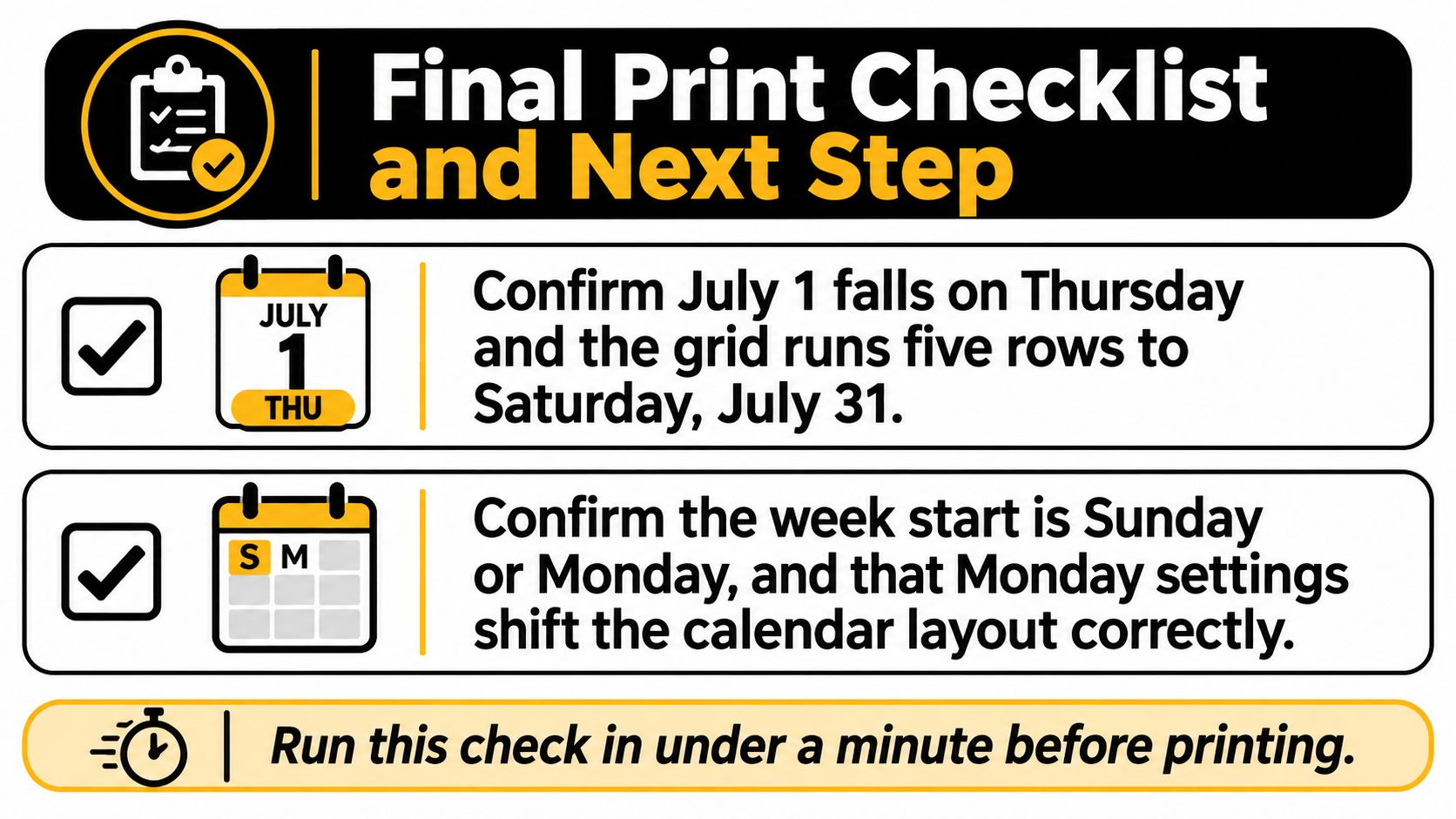
- July 1 is a Thursday and July 31 is a Saturday. Five rows. On a Sunday-start grid, three dates follow four empty cells in the opening row; on a Monday-start grid, four dates follow three.
- The week start matches the system you plan in. Sunday or Monday. If you need ISO week numbers on a Monday-start file, the five rows read W26 through W30.
- Both holiday dates are marked. July 4 as the statutory date, July 5 as the observed federal holiday, each labelled.
- The format fits the job. Yearly for the overview, monthly when you need writing room.
- The paper size matches the tray. US Letter or A4, chosen on the page and set in the printer.
- The preview shows every edge. If an edge is missing or greyed out, switch on fit-to-page and preview again before printing.
- Local dates are already written in. Term dates, camp weeks, childcare, custody weeks, the things a generic page can't know.
- Anything with consequences is verified. Pay, contracts and travel dates get checked against an official source, because a printed calendar is a planning aid that can carry errors.
Print a draft first. Paper is cheap. A wrong date left on the fridge for a month is not.
The 2027 calendar comes as a one-page yearly showing all twelve months on a single sheet, or as a set of monthly pages with a separate page for each month. Both are free, and neither asks for an account or a sign-up.
Open the Dayleaf calendar tool, choose the yearly or monthly layout, set Sunday or Monday as the first day, pick US Letter or A4, then switch holiday markings on or off before you download the PDF or print from the browser. If an item above fails, go back to the matching fix in the troubleshooting steps before you print the final copy. To run the same checks on a spring month, open the April 2027 calendar and start with the week-start row.
Dayleaf makes free printable calendars for everyday planning, including a July 2027 page you can configure before you print: Sunday or Monday week start, US Letter or A4, holiday markings for July 4 and July 5 on or off, and a horizontal PDF you can download or send straight to the printer. Start with the July page, check the five rows and the two holiday dates, then build the rest of 2027 around it at Dayleaf.