November 2027 Calendar: Printable Formats and Dates
Print a november 2027 calendar with the right layout, week start and paper size, plus federal holidays, daylight saving and moon dates.
November has 30 days, a useful starting point when setting up a monthly plan. A calendar grid shows dates and weekdays, but it cannot show every detail that affects a schedule.
Use the printed page as a planning tool, much like a map: it marks the dates, while you add the information needed for your route. Clock changes, local closures, and appointments across time zones may require separate notes. Choose a layout that suits your planning, then confirm the details that date boxes cannot display.
Key Dates and Holidays for November 2027
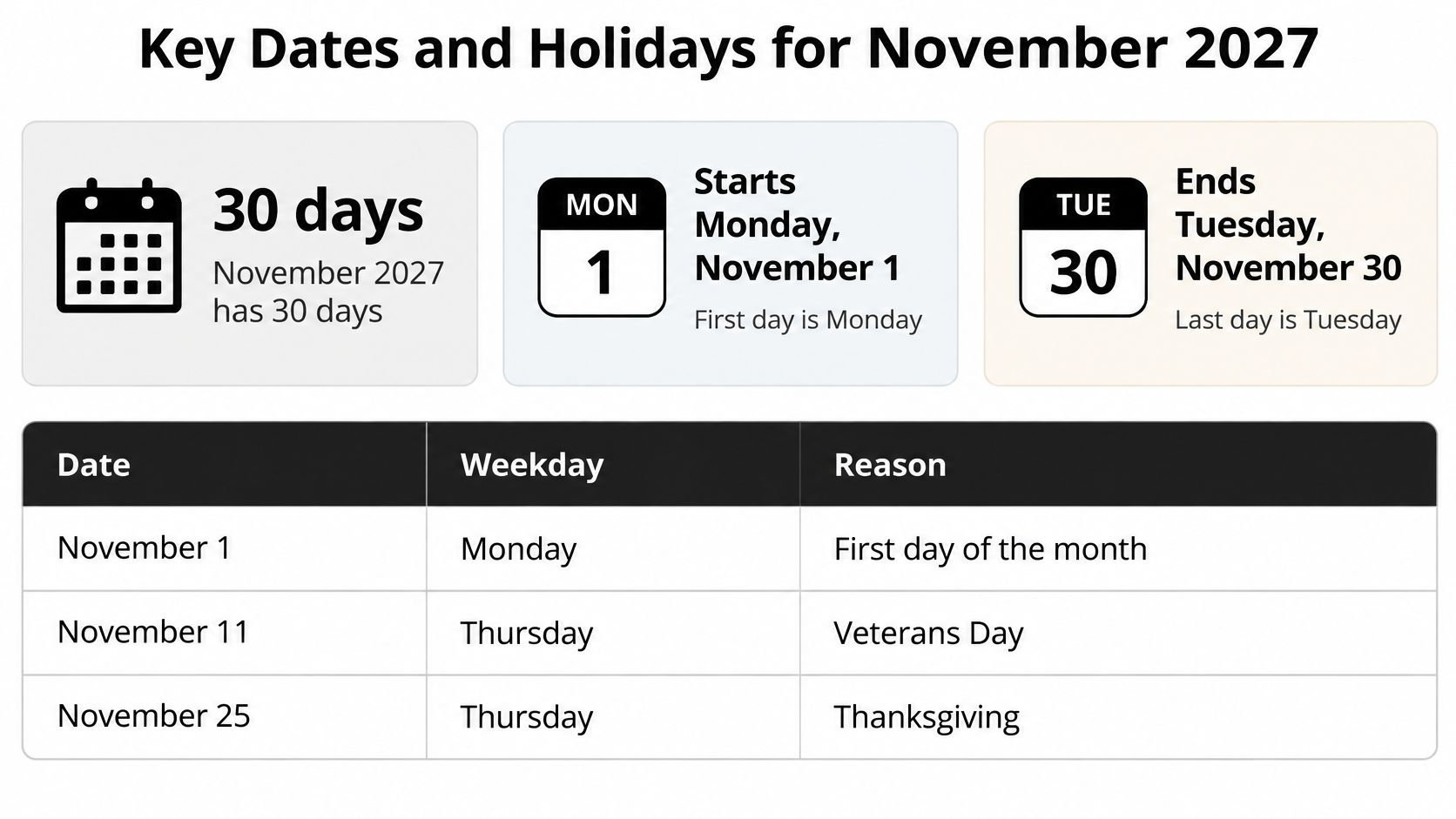
Six dates help orient November 2027: the month's first and last days, Veterans Day, Thanksgiving, Black Friday, and the end of daylight saving time. A calendar grid places each date on a weekday, while the holiday markings show only the observances selected for the calendar.
Key November 2027 dates
| Date | Weekday | Why it matters |
|---|---|---|
| November 1 | Monday | First day of the month |
| November 7 | Sunday | Daylight saving time ends in most of the United States |
| November 11 | Thursday | Veterans Day, a US federal holiday |
| November 25 | Thursday | Thanksgiving Day, a US federal holiday |
| November 26 | Friday | Black Friday, not a US federal holiday |
| November 30 | Tuesday | Last day of the month |
The Office of Personnel Management's 2027 federal holiday schedule lists Veterans Day on Thursday, November 11, and Thanksgiving Day on Thursday, November 25. The November 2027 calendar shows daylight saving time ending on Sunday, November 7.
Holiday dates and observed dates aren't always separate
A holiday's date and its observed date can differ when the holiday falls on a weekend. Under the general rule for federal employees with Monday-through-Friday schedules, a Saturday holiday is usually observed on Friday, and a Sunday holiday is usually observed on Monday. Veterans Day and Thanksgiving fall on weekdays in November 2027, so neither requires a separate observed date.
For future family planning, the guide to future Thanksgiving dates can help you identify the holiday date before coordinating travel or leave. Keep those plans distinct from appointments and commitments specific to November.
Use clear labels to separate calendar observances from personal arrangements. For example, underline the holiday name, then use another color for a confirmed school closure or approved leave. The distinction makes it easier to see which information came from the calendar and which you added.
Before printing, check the column headings to confirm the week starts on your preferred day. Mark federal holidays separately from workplace leave, and add local closures only after confirming them with the relevant organization.
Who Closes on These Dates
A holiday date on a calendar shows when an observance falls, not which services will close. The Office of Personnel Management's 2027 federal holiday schedule lists Veterans Day on November 11 and Thanksgiving Day on November 25. Other institutions set their own operating calendars.
A household may have different schedules on the same date. One parent might have approved leave while another works, a child's school may follow a separate break calendar, and an appointment may remain scheduled unless the clinic confirms a change.
Check the institution, not just the holiday name
| Institution | What to confirm |
|---|---|
| Federal office | Public service hours and any appointment instructions |
| State or local government | Its holiday calendar and department notices |
| School or college | The academic calendar, including staff-only days and breaks |
| Bank | Branch hours and any separate transaction-processing information |
| Court | The relevant court's calendar and filing instructions |
| Private employer | The employee holiday policy and your assigned schedule |
| Retailer | The store's trading hours |
Schools need particular care: a student closure and an employee holiday are different entries. A school calendar may distinguish teaching days, staff development, and vacation periods. Use the label that applies to your household, such as “school closed” or “staff development.”
Banks and courts may require more than a general open-or-closed answer. Confirm whether a branch counter is staffed, an appointment will proceed, or a deadline is affected. A monthly grid can hold a reminder, but it cannot establish those details.
Practical rule: Add a closure only after checking the organization whose service you need.
Use a repeatable verification method
- Name the institution. Identify the specific school, branch, department, clinic, or workplace.
- Find its published holiday or closure calendar. Check that the notice applies to the location and service you'll use.
- Add a precise label. Write “school closed,” “leave approved,” or “appointment confirmed” to show how the notice affects your plans.
If a notice is unclear, contact the organization before arranging transport or childcare. Keep its confirmation with the appointment details in your phone or paperwork.
A printed sheet shows dates, but it cannot update itself when local hours change. Review your entries before the month begins, and leave room to amend them without covering other commitments.
Weekday and Working-Day Totals
Weekday counts in November 2027
| Weekday | Count | Day type |
|---|---|---|
| Monday | 5 | Working day |
| Tuesday | 5 | Working day |
| Wednesday | 4 | Working day |
| Thursday | 4 | Working day |
| Friday | 4 | Working day |
| Saturday | 4 | Weekend |
| Sunday | 4 | Weekend |
| Total weekdays | 22 | Before holiday adjustment |
| Working days after federal holidays | 20 | Removes November 11 and November 25 |
The DatesCal November calendar gives 30 days and 20 working days after the two US federal holidays are removed; counting the weekday positions produces the distribution shown above. The table's “working day” labels describe a conventional Monday-through-Friday pattern, not every reader's actual work schedule.
The difference between weekdays and working days is important. Weekdays are positions in the calendar. Working days are the dates that remain after you apply the holidays, closures, leave, and attendance rules relevant to your situation.
Turn the count into a workload estimate
Start with the days on which you normally work or attend school. Then remove only the closures that apply to you, rather than subtracting every observance printed on the page.
A tutor who teaches on Mondays and Tuesdays should examine those columns before estimating monthly availability. A shop employee with weekend shifts needs to count assigned shifts instead of relying on the conventional working-day total. Neither person can infer their available hours from a federal-calendar count alone.
Use this procedure:
- Count your usual attendance days. Work from the printed weekday headings and your regular pattern.
- Subtract confirmed holidays, leave, and closures. Keep tentative absences marked as tentative.
- Compare capacity with demand. Check whether the remaining sessions or shifts can accommodate the work you've promised.
Don't treat every available date as equally usable. A day filled with appointments may contribute little project time, while a clear workday may accommodate a substantial task. For billing, lesson planning, or delivery commitments, add availability notes beside the dates rather than treating the month's total as a guaranteed capacity.
Yearly and Monthly Layouts Compared
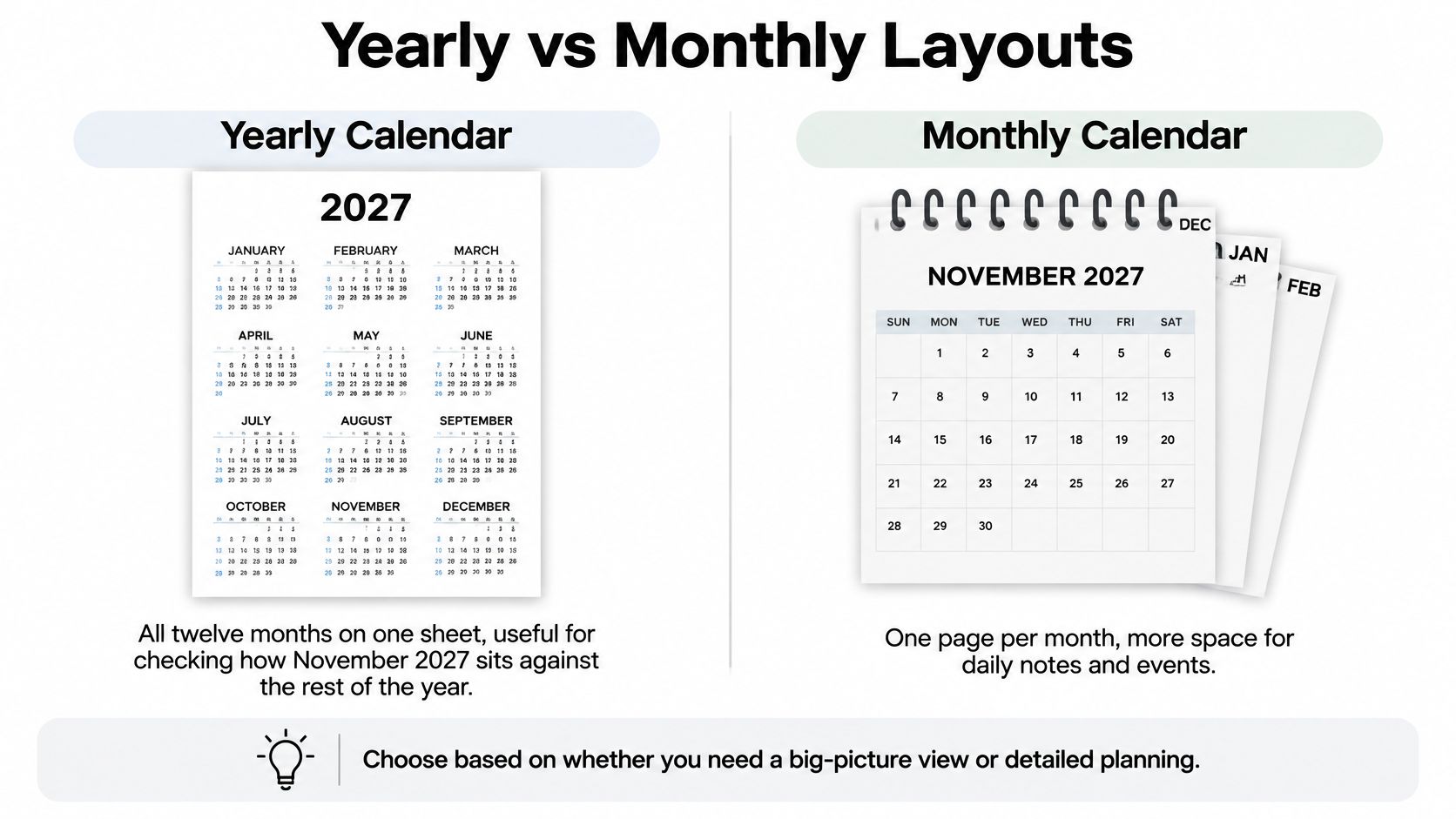
A yearly calendar, a full set of monthly pages, and a single November page answer different planning questions. Choose according to whether you need to check dates across the year, manage ongoing appointments, or organize only the month in front of you.
A yearly sheet suits reference work. You can glance between months when discussing a future appointment, checking a seasonal commitment, or considering how a November project relates to surrounding plans. Its main compromise is writing space.
A monthly page gives handwritten entries more room. That makes it the more practical choice for names, appointment locations, school reminders, shift assignments, and household tasks that won't fit comfortably inside a miniature annual grid.
Layout options compared
| Layout | What the page shows | Best use | Main limit |
|---|---|---|---|
| Yearly calendar | All 12 months on one sheet | Overview and checking dates across 2027 | Little space for handwritten notes |
| Monthly pages, full set | One page per month, twelve pages | Appointments, school dates and household schedules | Twelve pages to print and file |
| Single monthly page | Only the selected month, such as November | Printing just the month you need | No view of the rest of the year |
Match the page to the writing task
For a family noticeboard, prioritize whether everyone can read the entries from a normal viewing distance. A compact annual sheet may work for identifying a date, but it's less useful when several people need to add activities to the same box.
For a desk planner, consider what you write. If you record only a short task name, a simple monthly grid may be sufficient. If you include addresses, preparation notes, or pickup arrangements, preserve space around the grid or keep detailed information in a separate notebook.
A complete monthly set is useful when you want a consistent place for future commitments. A single selected month avoids printing pages you won't use, and it's easier to replace if the page becomes crowded or your plans change substantially.
- Choose yearly for reference. Keep detailed appointment information somewhere else.
- Choose monthly for active planning. Give each entry enough space to remain readable after amendments.
- Choose November alone for a focused need. Use it for a temporary household schedule, project, or classroom display.
Avoid shrinking the page merely to fit more information on your noticeboard. If names and times become difficult to read, simplify the entries instead. A useful calendar helps someone act correctly, not just see that a date contains writing.
Sunday-First or Monday-First Week Start
The week-start setting changes where dates sit, not the dates themselves. A Sunday-first November grid begins with a trailing date from October, while a Monday-first grid begins directly with the start of the month.
The ISO 8601 document hosted by the Library of Congress defines Monday as weekday 1 and Sunday as weekday 7, and assigns a week to the year containing that week's Thursday. Applying that convention gives November the ISO week labels below.
Sunday-first rows and Monday-first ISO weeks
| Row | Sunday-first grid | Monday-first (ISO 8601) |
|---|---|---|
| Row 1 | October 31 to November 6 | Week 44: November 1 to 7 |
| Row 2 | November 7 to 13 | Week 45: November 8 to 14 |
| Row 3 | November 14 to 20 | Week 46: November 15 to 21 |
| Row 4 | November 21 to 27 | Week 47: November 22 to 28 |
| Row 5 | November 28 to December 4 | Week 48: November 29 to 30 |
Read each column as a separate layout. The dates shown beside each other aren't identical week spans, so you shouldn't transfer a row number from one format into the other and assume it means the same thing.
The final Monday-first entry lists only the dates belonging to November. A template may also show the adjacent December dates in lighter text to complete that row.
Choose familiarity or reporting consistency
Sunday-first works well when it matches the calendar your household already reads. Keeping the same convention reduces the chance that someone will copy an appointment into the wrong weekday column.
Monday-first places the usual office workweek together, followed by the weekend. If your work logs or project reports use ISO week numbers, this format also makes it easier to match handwritten plans with those records.
A Monday-first grid isn't automatically an ISO-numbered calendar. Check whether the page actually displays week numbers before relying on them.
For a simpler workweek-oriented page, consider a blank calendar starting on Monday. A blank format can be helpful when your own shift labels matter more than printed observances.
Before copying an existing schedule, compare the weekday headings on both pages. Don't transfer entries by their visual position alone. The box in the upper-left corner may represent a different weekday, even when both sheets display the same month.
Paper Size and Print Settings
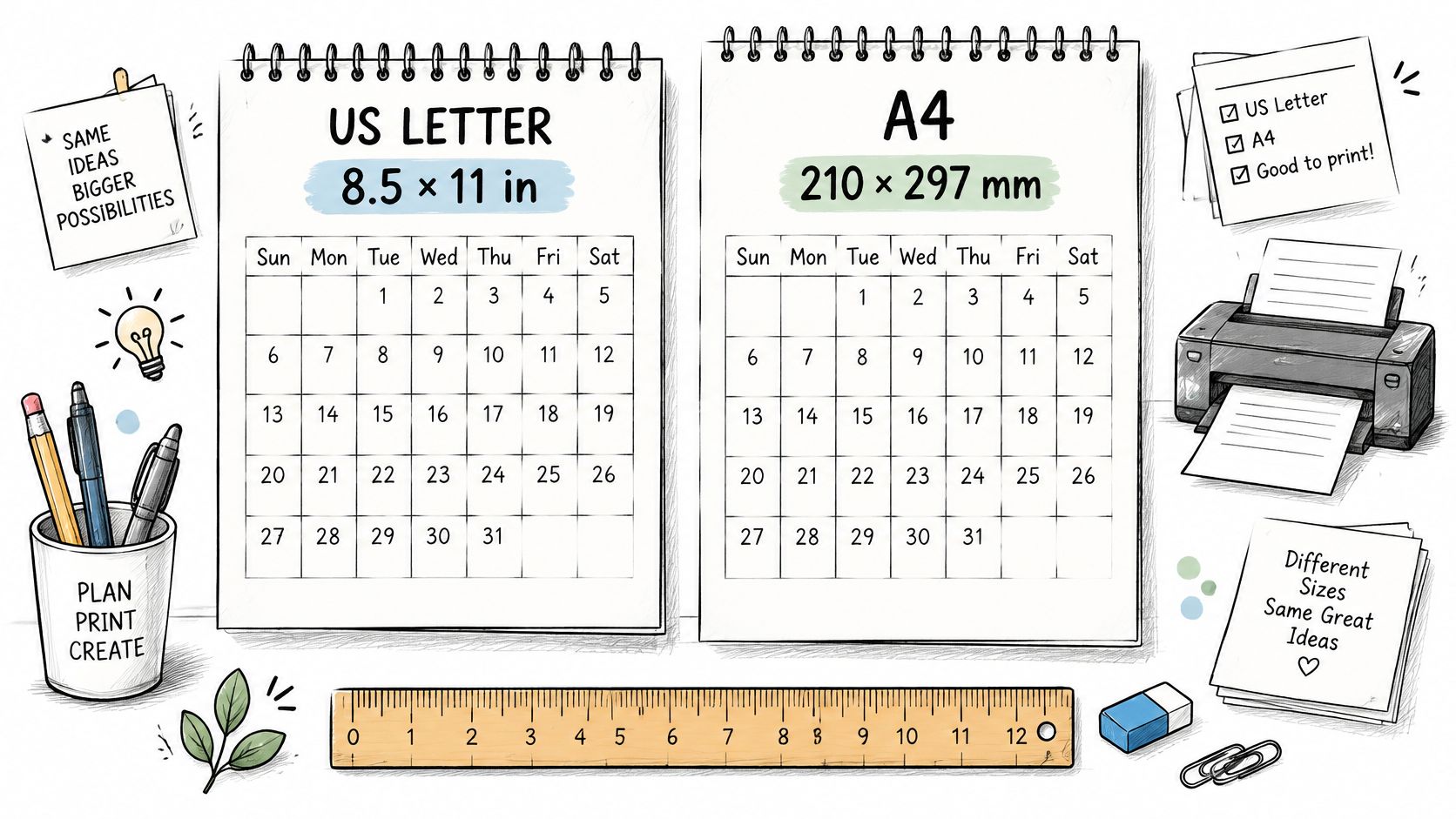
Choose US Letter or A4 to match the paper you'll load. The important printing decision is consistency between the selected calendar format, the printer's paper setting, and the sheets in the tray.
Use horizontal orientation for the calendar PDF. A page that looks wide on screen can still print incorrectly if the print dialogue is set to portrait or the printer applies an unexpected scaling option.
Set up the page in order
- Select the paper format on the calendar page. Choose the format that matches the sheets you have, rather than the size that happens to appear first. This establishes the page proportions before printing.
- Set the printer's paper size to the same format. A mismatch can cause the software to scale the grid or place part of it outside the printable area.
- Choose horizontal orientation. Check the print dialogue even if the PDF already appears horizontal. Printer settings can retain a previous document's orientation.
- Open the print preview and inspect the top and bottom of the grid. Check weekday headings, the final row, and any notes area, not just the page title.
- Use fit-to-page if edges are clipped. Preview again after changing the setting because scaling can make writing boxes and text smaller.
- Print a test sheet on plain paper. Review the actual result before printing a complete set or using more expensive paper.
A PDF viewer and a browser may present these controls differently. Look for settings named paper size, orientation, scale, or fit, and judge the preview rather than assuming a default will suit your printer.
Inspect the result for planning, not just appearance
Hold the test page where you intend to use it. Can you read the weekday headings, distinguish adjacent-month dates, and write an appointment without covering the printed date?
Print check: Keep a visible margin around the calendar and make sure the entire grid appears before adding handwritten plans.
If the result is too small, don't immediately enlarge it until the edges disappear. First check that the correct paper size and orientation are selected. If the page still feels cramped, use shorter entries or move supporting details to a separate notes sheet.
A correct printout shows every row, readable headings, and clear space around the edges. The goal is a page you can annotate and revise without losing the information that tells you which day is which.
Daylight Saving Time and Time-Zone Notes
The extra hour at the autumn clock change doesn't necessarily give you extra usable planning time. For overnight appointments and shifts, it can make a written time ambiguous.
According to timeanddate's US clock-change schedule, most of the United States moves clocks back at 2:00 a.m. local daylight time on Sunday, November 7, 2027, creating a repeated 1:00 a.m. hour. A monthly date box can mark the change, but it can't show which occurrence of that hour an appointment means.
Write the time zone where it matters
For an ordinary daytime household task, a short reminder may be enough. For overnight transport, remote work, or a timed handover, record the location and time zone alongside the appointment.
Say you're arranging an overnight pickup during the clock-change period. Writing only the local clock time may leave the driver and passenger interpreting the appointment differently. Keep the booking confirmation available and verify the intended time with the transport operator.
The transition isn't nationwide, and international participants may follow different clock-change rules or none at all. Don't assume that a meeting's usual difference between locations remains unchanged because the recurring event looks familiar.
A November 8 calendar planning page can provide space for follow-up reminders, such as checking a recurring call or reviewing the next workday's transport arrangements.
Check the events that can be misread
- Confirm the local time zone. Use the event location or organizer's stated zone, especially for travel and remote appointments.
- Review recurring digital events. Open the event details rather than relying only on the time shown in a reminder notification.
- Clarify overnight handovers. Record which occurrence of the repeated hour is intended when that distinction affects the plan.
- Keep the authoritative confirmation. Use the airline, employer, appointment system, or organizer's details to resolve uncertainty.
Use the printed calendar as the visible reminder and the digital event or booking as the detailed record. That division is more dependable than trying to fit every time-zone instruction into a small date box.
Confirm Local Closures and Print Your Calendar
Our calendars are free to use, and you can choose the layout, week start, and paper size before downloading a PDF or printing from your browser. You don't need to create an account to prepare your calendar.
Make the format decisions before entering detailed plans. It's easier to choose a different layout while the page is blank than to copy a crowded set of handwritten appointments onto a replacement.
Prepare the version you'll actually use
- Choose yearly or monthly. Use an overview for checking dates and a monthly page when you need room to write. Select only the period you intend to keep in view.
- Set Sunday or Monday as the first weekday. Match the convention used by the people who'll read and update the sheet.
- Select US Letter or A4. Match the paper in the printer so the page doesn't need an avoidable size adjustment.
- Choose holiday markings or the blank option. Keep printed observances only when they're useful to your planning, and reserve handwritten labels for your own arrangements.
- Download the PDF or print directly. Inspect the preview before sending the job to the printer, then check the physical page before filling it in.
- Confirm closures and events with your employer, school, or local office. Add a clear description of what changes for you, such as a cancelled session or an approved absence.
Give consequential dates an extra check
Our calendars are intended for general planning and may contain errors. Before relying on a date with a payment, filing, legal, travel, or other significant consequence, check an authoritative source.
For a bill, use the issuer's stated due date and payment instructions. For a court matter, use the relevant court's official guidance. For travel, keep the carrier's confirmation rather than treating a handwritten departure reminder as the complete itinerary.
Leave room for changes. Pencil can help with tentative plans, while a small legend can distinguish confirmed appointments from arrangements that still need agreement. If several household members use the page, agree on the labels before everyone starts writing.
Print November first and post it where the household will see it. Add the federal holiday labels, the clock-change reminder, and your confirmed local arrangements, then keep detailed booking information somewhere accessible.
Visit Dayleaf to create a free November 2027 calendar with your preferred layout, week start, and paper size. Download the PDF or print your selected page, then add the local closures and appointment details your household needs.